VitaPayVitaPay
Partner sign-in

Leaving vitapay.com

You will be redirected to the partner sign-in page.

https://translink.vitapay.com

Continue
Apply Now
Brand assets

The VitaPay brand, ready to use.

Logos, colours and short guidelines for presenting VitaPay in articles, partner materials and events.

Download everythingBrand guidelines (PDF)

ZIP, 576 KB: every logo and icon in SVG and PNG, the share image and the guidelines.

Logo

Every PNG has a transparent background. Use the SVG wherever the software allows it.

The VitaPay logo: a navy wordmark with a red tick on the "i", on a light background

Logo, full colour

The navy wordmark with the red tick, for light backgrounds. Use this version wherever you can.

SVG
Vector, 6 KB
PNG
1000 × 299 px, 34 KB
2000 × 599 px, 71 KB
The VitaPay logo in paper white with a red tick, on a dark background

Logo, reversed

For dark backgrounds and VitaPay Navy. The wordmark turns paper white and the tick stays red.

SVG
Vector, 6 KB
PNG
1000 × 299 px, 33 KB
2000 × 599 px, 71 KB
The VitaPay logo in solid white, on a dark background

Logo, white

For single-colour print only

The wordmark and tick in white, for dark backgrounds when only one colour can be printed.

SVG
Vector, 6 KB
PNG
1000 × 299 px, 26 KB
2000 × 599 px, 56 KB
The VitaPay logo in solid black, on a light background

Logo, black

For single-colour print only

The wordmark and tick in black, for light backgrounds when only one colour can be printed.

SVG
Vector, 6 KB
PNG
1000 × 299 px, 23 KB
2000 × 599 px, 51 KB

Icon

Use the icon alone only where the full logo would be too small to read, or where the name already appears nearby.


The VitaPay icon: a navy stem under a red tick, on a light background

Icon, full colour

The "i" and its red tick, for small square spaces such as avatars.

SVG
Vector, 1 KB
PNG
1000 × 1000 px, 9 KB
2000 × 2000 px, 25 KB
The VitaPay icon in paper white with a red tick, on a dark background

Icon, reversed

For dark backgrounds and VitaPay Navy.

SVG
Vector, 1 KB
PNG
1000 × 1000 px, 9 KB
2000 × 2000 px, 25 KB
The VitaPay icon in solid white, on a dark background

Icon, white

For single-colour print only

In white, for dark backgrounds when only one colour can be printed.

SVG
Vector, 1 KB
PNG
1000 × 1000 px, 8 KB
2000 × 2000 px, 24 KB
The VitaPay icon in solid black, on a light background

Icon, black

For single-colour print only

In black, for light backgrounds when only one colour can be printed.

SVG
Vector, 1 KB
PNG
1000 × 1000 px, 8 KB
2000 × 2000 px, 23 KB

Share image and guidelines

The VitaPay share image: the logo and the line "Payment processing for restaurants and hospitality groups" on warm grey

Share image

A card for link previews and social posts.

PNG
1200 × 630 px, 41 KB
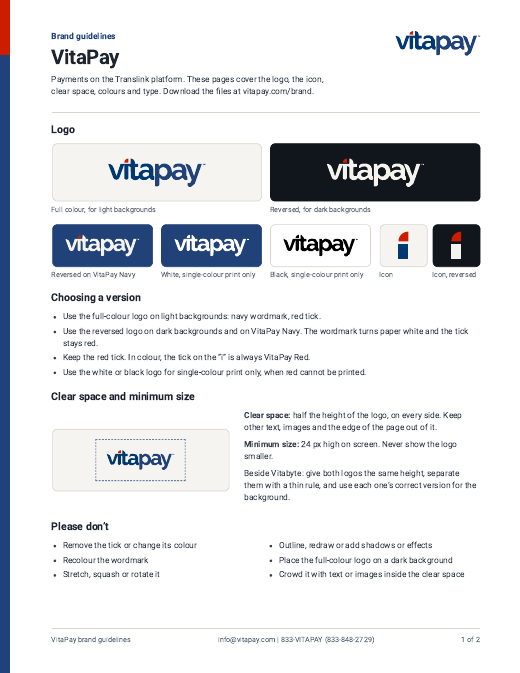
The first page of the VitaPay brand guidelines

Brand guidelines

Logos, clear space, colours and type, on two pages.

PDF
Two pages, 144 KB

Using the logo

The VitaPay logo inside a dashed border that marks its clear space
Clear space: half the height of the logo, on every side.
  • Keep the red tick. In colour, the tick on the "i" is always VitaPay Red, on light and dark backgrounds. Do not remove it or change its colour.
  • White and black are for single-colour print only. Use them only when a job cannot print VitaPay Red. Everywhere else, use the full-colour or reversed logo.
  • Clear space and minimum size. Keep clear space of half the logo height on every side, free of other text, images and edges. On screen, never show the logo smaller than 24 px high.
  • Use the artwork as supplied. Do not recolour, stretch, rotate, outline or redraw the logo, and do not add shadows or effects.
  • Match the background. Use the full-colour logo on light backgrounds and the reversed logo on dark backgrounds and VitaPay Navy.
  • Use red sparingly. VitaPay Red belongs to the tick and the occasional accent, never a large fill.
  • Beside Vitabyte, keep both equal. Give the two logos the same height, separate them with a thin rule and never merge or recolour them to match.
The logo stretched out of proportion
Do not stretch or squash it.
The logo in colours that are not the brand colours
Do not change its colours.
The logo rotated at an angle
Do not rotate it.
The full-colour logo on a dark background, where it is hard to read
Do not use the full-colour logo on dark backgrounds.

Colours

VitaPay Navy carries the brand. VitaPay Red is the tick in the logo and an occasional accent.

  • VitaPay Navy

    The primary colour, for buttons, links and fills.

    #214279
  • VitaPay Red

    The tick in the logo. An accent: use it sparingly.

    #CC1D00
  • Wordmark navy

    The "vita" in the logo artwork.

    #003972
  • Warm grey

    The default page background.

    #EBE9E5
  • Paper

    The wordmark on dark backgrounds.

    #F5F3EE
  • Charcoal

    Headings and text.

    #1E2430
  • Dark background

    The dark theme background.

    #11151C

Type

VitaPay uses the system sans serif of each device: SF Pro on Apple, Segoe UI on Windows and Roboto on Android. There is no brand web font.

Headings are bold (700), buttons semibold (600) and body text regular (400). Figures and phone numbers are set in the system monospace.

Questions about the brand?

For press, partner materials or a format that is not here, get in touch.

info@vitapay.com833-VITAPAY833-848-2729

Sister company Vitabyte brand assets